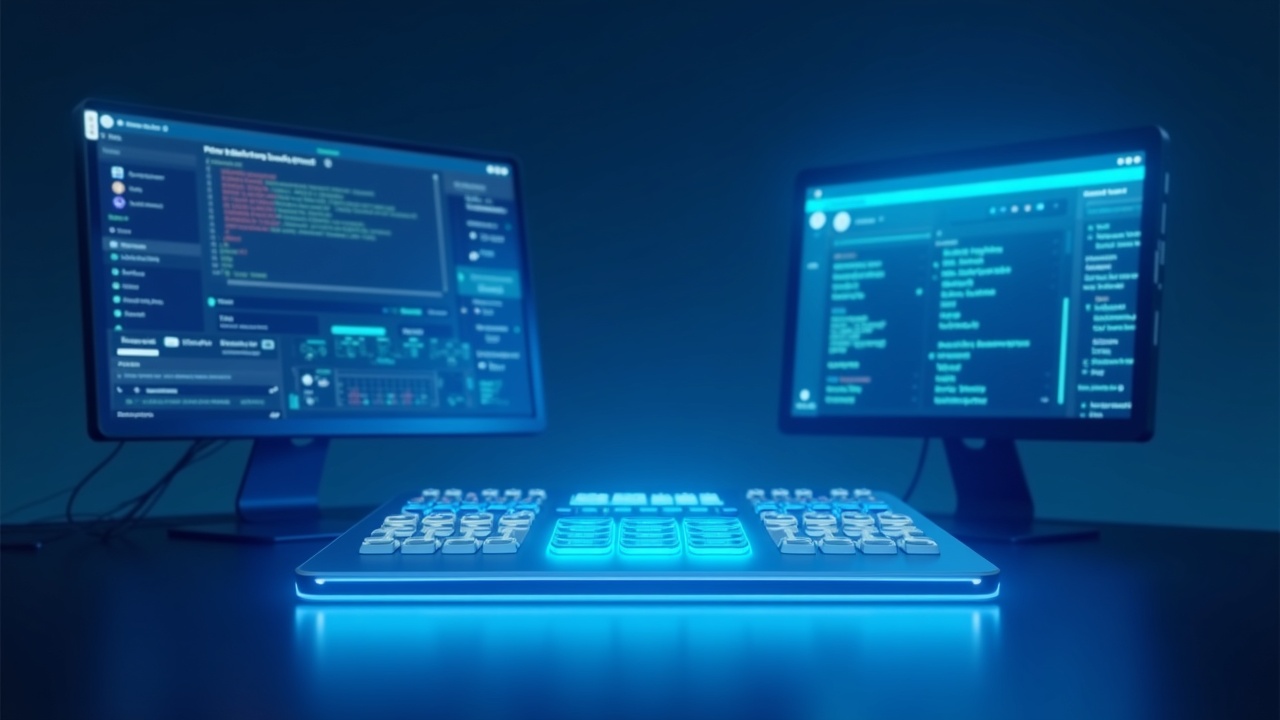
Stream Deck vs Loupedeck: Best for Knowledge Workers
Logitech killed Loupedeck in March 2025, so the real 2026 matchup is Stream Deck vs the $199 MX Creative Console — and for Slack-and-Zoom workers, the $149 MK.2 wins.
As an Amazon Associate I earn from qualifying purchases. This costs you nothing extra.
Stream Deck vs Loupedeck: Which Wins for Knowledge Workers in 2026?
For the Notion-Slack-Zoom worker deciding whether a programmable control surface earns its desk space.
If you're shopping the Loupedeck vs Stream Deck comparison in 2026, the matchup itself is out of date. Logitech acquired Loupedeck in April 2023, ended Loupedeck hardware sales on March 28, 2025, and folded the entire product line into one replacement: the $199.99 Logitech MX Creative Console, which launched in October 2024 (loupedeck.com).
So if you're shopping in 2026, the real comparison is Elgato's Stream Deck family vs the Logitech MX Creative Console. And for knowledge workers — the people living in Notion, Linear, Slack, and back-to-back Zooms — the recommendation is straightforward: the Elgato Stream Deck MK.2 at $149.99 wins for almost everyone, with one specific exception for Adobe-heavy workflows.
Key Takeaways
- Best overall for knowledge workers: Elgato Stream Deck MK.2 ($149.99) — largest plugin library for Slack, Teams, Zoom, and meeting workflows
- Best for Adobe and visual workflows: Logitech MX Creative Console ($199.99) — native Adobe integration via Logi Options+
- Best budget pick: Stream Deck Neo ($99.99) — eight keys plus a touch strip handles meeting controls and a few macros
- Skip: Stream Deck XL ($249.99) and Stream Deck Plus XL ($350) — knowledge workers gain nothing from 32+ keys, and the per-key cost is essentially identical to the cheapest model
The Comparison Table
| Feature | Stream Deck MK.2 | Stream Deck + | MX Creative Console |
|---|---|---|---|
| Price | $149.99 | $199.99 | $199.99 |
| LCD keys | 15 | 8 | 9 |
| Dials | None | 4 | 1 (wireless) |
| Touch strip | No | Yes | No |
| Form factor | Single unit | Single unit | Two pieces (USB + Bluetooth) |
| Operating system | Windows 10+ / macOS 12+ | Windows 10+ / macOS 12+ | Windows / macOS |
| Plugin ecosystem | Largest, office-app heavy | Largest | Smaller, Adobe-native |
| Best workflow | Meeting + task macros | Creative + dial work | Photoshop, Lightroom, Premiere |
| Visit Site | Visit Site |
Sources: elgato.com, logitech.com
The Per-Key Math No Reviewer Does
The insight buried in Elgato's pricing: across the entire Stream Deck lineup, the per-key cost barely moves. The 6-key Mini at MSRP $79.99 runs $13.33 per key. The 15-key MK.2 at $149.99 runs $9.99 per key. The 32-key XL at $249.99 runs $7.81 per key. The per-key cost does fall as you size up — but the curve is shallow, and the real upsell isn't more keys at all (based on prices from the Elgato Stream Deck comparison page, retrieved May 2026). Elgato has effectively flattened the value curve — buying up the lineup gets you more surface area, not better value per button.
So where's the actual upgrade? Dials. The Stream Deck + at $199.99 adds four rotary dials and a touch strip for just $50 more than the 15-key MK.2 (elgato.com). Rotary input — not more buttons — is the real upsell for anyone outside the streaming crowd, and reviewers like (https://www.engadget.com/computing/elgatos-stream-deck--xl-adds-a-touch-strip-and-dials-to-an-already-massive-array-of-buttons-195200129.html) have pointed to the same pattern in Elgato's Plus XL pricing.
For knowledge workers, this matters. You don't need 32 keys to mute a meeting, switch a Slack workspace, or jump to a Notion page. You need a handful of well-placed buttons. The 15-key MK.2 hits that sweet spot.
The Payback Calculator
At a $50/hour blended rate — roughly the midpoint between business and financial occupations ($41.39/hour mean) and management occupations ($59.31/hour mean) per BLS Occupational Employment and Wage Statistics, May 2023 — the $149.99 Stream Deck MK.2 needs to recover just three hours of lost time to pay for itself. That's about 30 working days at six minutes saved per day, or only 12 days at 15 minutes saved per day.
Run the math at different savings rates:
- 3 minutes saved/day: payback in ~60 working days (roughly three months)
- 6 minutes saved/day: payback in 30 working days (about six weeks)
- 10 minutes saved/day: payback in 18 days — under four weeks
- 15 minutes saved/day: payback in 12 days
Streamer macros for OBS (Open Broadcaster Software, the free streaming app most Twitch and YouTube creators run) are the standard demo, but they undersell the case for office work. A knowledge worker who collapses 'mute Zoom, share screen, open meeting notes' into one keystroke saves a few seconds per meeting — and runs that macro five to ten times a day. The hardware is a one-time cost; the time savings compound for as long as the workflow holds up.
Best For Picks
Best overall: Elgato Stream Deck MK.2 ($149.99). Fifteen programmable LCD (liquid crystal display) keys, a single connected unit, and the largest plugin ecosystem in the category. Elgato actively markets a "Stream Deck for Business" plugin lineup covering Microsoft Teams, Slack, Zoom, PowerPoint, Todoist, and Tomato Timer (elgato.com). For knowledge workers who aren't living in Adobe, it's the obvious pick.
Best budget: Stream Deck Neo ($99.99). Eight LCD keys plus an Infobar touch strip that displays time and notifications (help.elgato.com). For someone running two or three video calls a day and a Slack-heavy workflow, eight keys is plenty.
Best for Adobe-heavy creative work: Logitech MX Creative Console ($199.99). Native integration with Photoshop, Lightroom, and Premiere Pro through Logi Options+ — Logitech's device customization app that handles per-app button mapping, gestures, and macros across its peripheral lineup. The large weighted Dial pad scrubs timelines and adjusts sliders in a way no Stream Deck button quite matches (logitech.com).
Elgato Stream Deck (the full lineup)
Elgato's Stream Deck family dominates the programmable control surface category in 2026. The product line spans six models: Mini at $57.99, Neo at $99.99, MK.2 at $149.99, Plus at $199.99, XL at $249.99, and Plus XL at $350 (per the Elgato Stream Deck comparison page, retrieved May 2026).
What sets the Stream Deck apart for knowledge workers is plugin breadth. The software primarily uses keyboard-shortcut simulation plus a deep third-party plugin marketplace. Want a button that toggles your Slack status, opens a specific Notion page via URL launcher, starts a Pomodoro timer, and sends a Telegram message in sequence? You can build it. Be aware that most "Notion integrations" in the Stream Deck Store are URL launchers or keyboard-shortcut macros rather than first-party plugins — Notion doesn't currently ship an official Stream Deck plugin — but for typical knowledge-worker use cases that's usually enough.
Pros:
- Largest plugin ecosystem for office and meeting apps
- Single-unit design — dials, keys, and touch strip integrate into one device on the Plus models
- Strong build quality with detachable USB-C cable on MK.2 and above
- Works on Windows 10 (64-bit) and macOS Monterey 12 or later (help.elgato.com)
Cons:
- Most plugins use keyboard simulation rather than native API integration — fragile if app shortcuts change
- The XL ($249.99) and Plus XL ($350) are overkill for non-streamers
- Per-key cost is essentially flat across the lineup, so "buying up" delivers diminishing returns
Who should skip it: Heavy Adobe Creative Cloud users who need timeline scrubbing and slider control. Stream Deck buttons can do it, but the experience is markedly worse than a real dial.
Loupedeck (now the Logitech MX Creative Console)
Loupedeck as an independent hardware brand is dead. Logitech ended Loupedeck sales on March 28, 2025 and shifted future development to the MX Creative Console (loupedeck.com). If you're shopping new, this is the only Loupedeck-lineage device you can buy.
The MX Creative Console at $199.99 sits between the Stream Deck MK.2 ($149.99) and Stream Deck + ($199.99) — and undercuts the discontinued Loupedeck CT ($549) by about 64%. It uses a two-piece design: a 9-button LCD keypad tethered via USB-C, plus a wireless Dial pad with a large weighted dial, four mappable buttons, and a scroller (logitech.com).
Pros:
Get the free 2026 Budget Tracker Template
A plug-and-play monthly budget plus the 5-step system that makes it stick. Delivered instantly.
Free download. We email The Canopy Brief weekly. Unsubscribe anytime.
- Native Adobe integration (Photoshop, Lightroom, Premiere Pro) through Logi Options+ — not just keyboard simulation
- Large weighted dial is genuinely better than Stream Deck + dials for sliders and timeline scrubbing
- Inherits Loupedeck's mature software stack via Logi Options+
Cons:
- Two-piece form factor that reviewers describe as clunkier than a typical keyboard
- Plugin ecosystem outside Adobe is thinner than Stream Deck's
- Dial pad runs on Bluetooth — one more thing to charge and pair
- Long-term software support is uncertain now that Loupedeck's own app is being phased out in favor of Logi Options+
Who should skip it: Knowledge workers whose day runs through Slack, Teams, Zoom, Notion, and Linear. The Adobe-native advantage doesn't help you, and the two-piece form factor adds friction.
Pricing Breakdown
| Model | Price | What you get | Visit Site |
|---|---|---|---|
| Stream Deck Mini | $57.99 | 6 LCD keys | |
| Stream Deck Neo | $99.99 | 8 LCD keys + Infobar touch strip | |
| Stream Deck MK.2 | $149.99 | 15 LCD keys | Visit Site |
| Stream Deck + | $199.99 | 8 LCD keys + 4 dials + touch strip | |
| MX Creative Console | $199.99 | 9 LCD keys + wireless Dial pad | |
| Stream Deck XL | $249.99 | 32 LCD keys | |
| Stream Deck + XL | $350.00 | 36 LCD keys + 6 dials + touch strip | |
| Stream Deck Pedal | $90.00 | 3-pedal foot controller (accessory) | |
| Stream Deck Network Dock | $79.99 | Multi-Stream-Deck-XL network hub |
No subscription fees, no cloud lock-in. The Stream Deck software and Logi Options+ are both free. Hidden costs to watch: occasional paid third-party plugins (most run $5–$15 one-time) and replacement cables for older non-detachable models.
Data as of May 2026. Prices verified directly on elgato.com and logitech.com.
How We Evaluated
Canopy Press evaluates productivity hardware on five criteria: workflow fit for the target user, software ecosystem depth, build quality and ergonomics, total cost of ownership, and payback math against a realistic time-savings baseline. See the full methodology at /how-we-evaluate/.
For this specific comparison, we weighted plugin breadth for non-creative apps (Slack, Zoom, Teams, Notion, Linear, Asana), single-unit ergonomics, and per-dollar-per-minute payback at a $50/hour knowledge-worker rate (drawn from BLS Occupational Employment and Wage Statistics for management and business occupations). Streamer-specific features like OBS scene switching and chat moderation were excluded — those use cases are well covered elsewhere.
This article contains affiliate links. If you purchase through these links, Canopy Press may earn a commission at no additional cost to you. As an Amazon Associate, we earn from qualifying purchases. Our recommendations are based on published specifications, manufacturer documentation, and verified user reviews — not on hands-on testing.
The Verdict
For most knowledge workers, the Elgato Stream Deck MK.2 at $149.99 wins. It has the deepest plugin support for the apps you actually use — Slack, Teams, Zoom, Notion, Todoist — and the per-key economics mean stepping up to the XL delivers nothing but more empty buttons.
The runner-up: the Logitech MX Creative Console at $199.99 — but only if you spend serious time in Photoshop, Lightroom, or Premiere. The native Adobe integration is genuinely better than Stream Deck's keyboard-shortcut approach, and the weighted Dial pad is a real tactile upgrade for slider-driven work. For everyone else, the two-piece form factor and thinner office-app plugin library make it the wrong default.
Skip the Stream Deck + XL. At $350, you're paying for surface area you won't use. Knowledge workers don't run 36 simultaneous macros — they run six well-chosen ones, all day, every day.
Frequently Asked Questions
Is the original Loupedeck still worth buying in 2026?
No. Logitech ended Loupedeck hardware sales on March 28, 2025, and software updates are winding down as Logi Options+ replaces the original Loupedeck app. Buying used hardware now risks losing plugin compatibility within a year or two.
Can a Stream Deck actually replace keyboard shortcuts?
For experts who already have shortcuts memorized, the gain is real but modest — usually 3 to 6 minutes per day on context-switching. The bigger win is multistep macros that chain three or four actions (mute + open notes + share screen) into a single press. That's something keyboard shortcuts can't do without a separate tool like Keyboard Maestro.
Does a Stream Deck work with Microsoft Teams and Zoom at the same time?
Yes. Both Teams and Zoom have official Stream Deck plugins covering mute, camera toggle, raise hand, screen share, and meeting end. Plugins run in parallel — one button can target whichever app is active, so you don't need separate setups for each platform.
Is the MX Creative Console's Bluetooth Dial pad reliable?
Reviewers report stable connections, but the Dial pad needs charging every few weeks. The keypad piece stays tethered via USB-C, so the core 9-button surface keeps working even if the Dial pad battery dies — you just lose the dial until you charge it.
Does the Stream Deck have a first-party Notion plugin?
No. Notion doesn't officially support Stream Deck. Most "Notion plugins" in the Stream Deck Store are URL launchers that open specific Notion pages, or macros that run keyboard shortcuts inside the Notion app — useful, but not the same as the native API integration Logi Options+ offers for Adobe.
Found an error? At Canopy Press, accuracy comes first. If you spot a claim that needs checking, let us know at [email protected] — we'll verify and correct it immediately.
Sources
- Elgato Stream Deck MK.2 product page
- Stream Deck Device Comparison Guide — Elgato
- Stream Deck for Business — Elgato
- Stream Deck Neo Technical Specifications — Elgato
- Stream Deck + XL adds touch strip and dials — Engadget
- Logitech Acquires Loupedeck — Logitech IR (2023)
- End of Loupedeck Sales — Loupedeck blog
- Logitech MX Creative Console — Logitech
- BLS Occupational Employment and Wage Statistics
Some links are affiliate links — we may earn a commission if you sign up through them, at no extra cost to you. We only recommend products we've actually evaluated. See our editorial standards for more.
Explore by topic
The Canopy Brief
One financial insight. One career move. One tool worth knowing. Every Monday. 5 minutes. No fluff.
Free. No spam. Unsubscribe anytime.
Canopy Picks
Products we've vetted and recommend. We may earn a commission at no extra cost to you.
- NordVPN
Encrypt your browsing and protect your data on any network. - The Lean Startup by Eric Ries
Build-measure-learn — the framework behind modern product development. - Zero to One by Peter Thiel
How to build something new instead of copying what exists. - Deep Work by Cal Newport
Focus is the new IQ — rules for deep work in a distracted world. - Atomic Habits by James Clear
The system behind building better work habits.
Found an error? At Canopy Press, accuracy comes first. If you spot a claim that needs checking, let us know at [email protected] — we'll verify and correct it immediately.