How to Build a Distraction-Free Environment at Home and Work
To build a distraction-free environment, eliminate physical and digital interruptions: use noise-canceling headphones or acoustic panels to reduce ambient noise, declutter workspaces to avoid "search mode," and install 5000K LED lighting to boost alertness. Kill digital distractions with app blockers, scheduled email checks, and a "distraction folder" — research suggests workers in focused environments complete tasks significantly faster than those in open offices. Learn more about Get Into Flow State Faster (Proven Triggers).
Recommended reading: Sony WH-1000XM5 Headphones
Let's start with a truth you already know: Your brain is terrible at multitasking. Research from Rubinstein, Meyer, and Evans (2001) showed that switching between tasks creates measurable cognitive lag — costs that varied from fractions of a second to several seconds depending on task complexity. In 2026, with more screens and notifications than ever, those switching costs add up fast.
Research by Gloria Mark at UC Irvine found that the average worker is interrupted roughly every 11 minutes — about 5 to 6 interruptions per hour. Each interruption requires over 23 minutes to fully regain deep focus, which means a significant chunk of your day is spent just getting back on track. For you? It means that email notification at 2 PM isn't just annoying — it's draining your income. Learn more about Your Focus Routine Isn't Working.
Multiple studies on open-office plans suggest that workers with fewer interruptions and dedicated focus spaces complete tasks significantly faster — some research puts the gap at 20–40% — compared to peers in noisy, high-traffic environments (Bernstein & Turban, 2018, Philosophical Transactions of the Royal Society B).
The problem isn't just work. While many remote workers thrive at home, distractions like family members, pets, or streaming shows remain a real challenge. Pew Research surveys on remote work and Nick Bloom's WFH Research at Stanford (Bloom et al., 2023, Stanford WFH Research) have generally found that most remote workers report equal or higher productivity compared to office settings — but that doesn't mean home distractions aren't a factor. The human brain can't distinguish between "urgent" and "important" — it just reacts. And every time you react to a distraction, you're paying a cognitive tax.
1. Design a Physical Space That Forces Focus
Your environment isn't neutral. A cluttered desk, bright lights, or an open-plan office all send signals to your brain. The solution? Build a workspace that physically prevents distractions.
The 3 Rules of Physical Focus
- Noise Control: Research consistently shows that background noise — even low-level sounds like keyboard clatter or HVAC hum — impairs cognitive performance (Mehta et al., 2012, Journal of Consumer Research). Use noise-canceling headphones or white noise machines. For home offices, install acoustic panels or hang thick curtains to absorb sound.
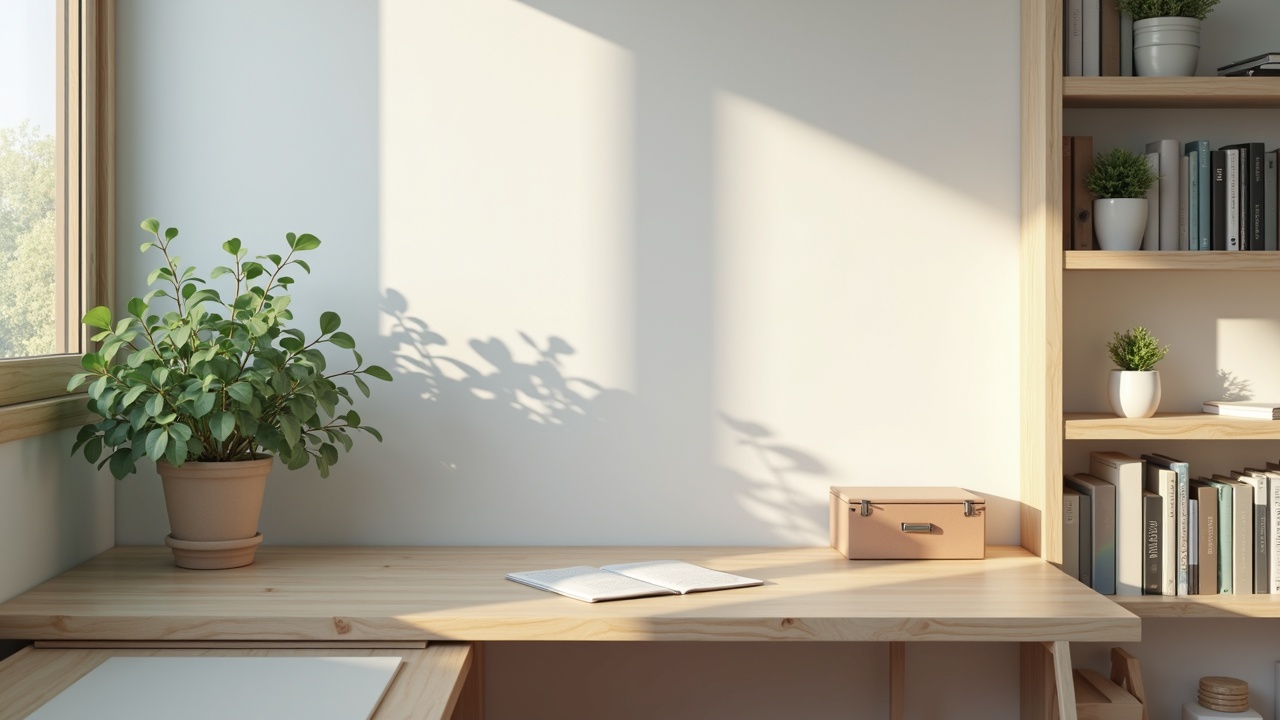
- Visual Simplicity: A cluttered desk triggers the brain's "search mode" — you're constantly scanning for something to do. Keep only the essentials: your laptop, a notebook, and a plant. Everything else? Tuck it away.
- Lighting Matters: Blue light from screens disrupts focus, but so does dim lighting. Use LED bulbs with a 5000K color temperature (crisp white light) to simulate daylight. Lighting research generally supports that higher color temperatures (5000K+) promote alertness, though individual responses vary (Viola et al., 2008, Chronobiology International).
Real-World Example: Sarah, a freelance designer, redesigned her workspace with a standing desk, noise-canceling headphones, and a strict "one drawer, one tool" policy. Her billable hours increased by 18% in 3 months.
Recommended reading: LectroFan White Noise Machine
2. Kill Digital Distractions: The 5-Minute Tech Reset
Your phone isn't a tool — it's a distraction factory. A 2019 Asurion survey found that the average American checks their phone about 96 times a day, and research by Gloria Mark suggests it can take over 23 minutes to fully refocus after an interruption. Here's how to reclaim your time:
The 5-Minute Digital Setup (Do This Every Morning)
- Turn Off All Notifications: Keep only alarms and emergency contacts.
- Use App Blockers: Tools like Freedom or StayFocusd block social media during work hours.
- Create a "Distraction Folder": Move non-essential apps to a folder you only open during breaks.
- Enable "Do Not Disturb" During Deep Work: Set specific hours (e.g., 9 AM–12 PM) for uninterrupted focus.
- Silence Your Email App: Check emails at set times, not constantly.
*: On Android/iOS, use "Focus Mode" to allow only apps critical to your current task. For example:
- Writing Focus: Only your word processor and browser.
- Meeting Focus: Only calendar, video conferencing, and contacts.
Recommended reading: Deep Work
3. Build Routines That Make Distractions Impossible
Your brain loves habits — even bad ones. The key to a distraction-free life isn't willpower. It's designing routines that automatically keep you on track.
The 3-Step Ritual for Distraction-Free Work
- Start with a "Ritual": Do the same thing before work (e.g., 5 minutes of stretching, a coffee ritual) to signal: "It's time to focus."
- Use Time Blocking: Schedule every 30 minutes. For example:
- 9:00–10:30 AM: Write report
- 10:30–11:00 AM: Check emails (only 30 minutes!)
- 11:00 AM–12:00 PM: Client calls
This forces you to plan distractions instead of letting them hijack your day. - End with a "Wind-Down": Spend 5 minutes at the end of each work session organizing your desk and listing next steps. This prevents tomorrow's distractions from starting today.
Real-World Example: James, a project manager, blocks 2 hours daily for deep work and uses a physical timer (the Pomodoro Technique). He's completed 4 major projects in 2026 that previously took 6 months. For a complete overview, see Deep Work in Practice: How to.
Get the free 2026 Budget Tracker Template
A plug-and-play monthly budget plus the 5-step system that makes it stick. Delivered instantly.
Free download. We email The Canopy Brief weekly. Unsubscribe anytime.
4. The Mindset Shift: Why "Flow" Beats "Multitasking"
Your brain isn't broken. It's evolved to prioritize survival over productivity. When a notification buzzes, your brain releases dopamine — the same chemical that makes you crave sugar. The solution? Train your brain to associate focus with dopamine.
How to Hack Your Brain's Reward System
- Set Micro-Goals: Finish a single task (e.g., "Write 300 words") and reward yourself with a break.
- Track Progress Visually: Use a habit tracker or app like Hamitic to see your streaks.
- Pair Focus with Pleasure: Listen to instrumental music or a podcast you love while working.
Contrarian Tip: Multitasking isn't "efficient" — it's a myth. Your brain can't handle multiple complex tasks at once. Instead, batch similar tasks. For example:
- Email Batch: 10:00–10:30 AM
- Creative Batch: 1:00–3:00 PM
- Administrative Batch: 4:00–5:00 PM
5. Creating a Distraction-Free Home Environment
Remote work blurs boundaries. If your home looks like a Netflix set for a comedy, your brain won't take work seriously.
The Home Office Checklist
- Separate Work and Life Spaces: Even a small nook with a dedicated chair and desk works.
- Use a "Work Uniform": Wearing slippers makes it easy to slide into Netflix mode. A clean shirt or even a bandana signals: "It's work time."
- Set a Shutdown Ritual: Turn off your computer, close your laptop, and do something physical (e.g., a walk) to switch modes.
Data Highlight: Having a dedicated workspace matters. Stanford economist Nick Bloom's research on remote work found that workers with a quiet, separate room to work in performed significantly better than those working from shared spaces like kitchen tables — a consistent finding across multiple studies.
6. Tools to Automate Distraction-Free Living
You don't have to rely on willpower. Automate your environment to eliminate choices.
| Tool | Purpose | Price |
|---|---|---|
| Freedom | Blocks distracting websites | ~$40/year (verify at freedom.to) |
| Focus@Will | Science-based background music | ~$10/month (verify at focusatwill.com) |
| Toggle Track | Time tracking for batching | Free tier |
| Forest App | Grows a tree while you focus | Free |
Bonus Tip: Use a smart home system to automate lighting and noise control. For example, set your Philips Hue lights to "focus mode" at 9 AM.
7. Measuring and Adjusting Your Distraction-Free Zone
You can't fix what you don't measure. Start tracking:
- Distraction Logs: Note when/why you get distracted.
- Time-Tracking Apps: See how much time you're actually spending on tasks.
- Weekly Reviews: Adjust your environment based on what's working.
If you're distracted by noise, invest in soundproofing. If your phone is the issue, lock it in a drawer during work hours.
Explore by topic
The Canopy Brief
One financial insight. One career move. One tool worth knowing. Every Monday. 5 minutes. No fluff.
Free. No spam. Unsubscribe anytime.
Canopy Picks
Products we've vetted and recommend. We may earn a commission at no extra cost to you.
-
The Psychology of Money
Morgan Housel's timeless guide to how people actually think about money. -
The Simple Path to Wealth
JL Collins' road map to financial independence through index investing. -
You Need a Budget
The system behind YNAB — give every dollar a job. -
Credit Karma
Free credit score monitoring and personalized recommendations. -
Kapitalwise
Get matched with a vetted financial advisor in minutes.
Found an error? At Canopy Press, accuracy comes first. If you spot a claim that needs checking, let us know at [email protected] — we'll verify and correct it immediately.
Sources
Frequently Asked Questions
How do I handle distractions from family members at home?
Set clear boundaries. Use a "focus light" (like the Focus@Will app) — a red light means "do not disturb," green means "I'm available."
What if I can't afford a home office?
Use a co-working space 2–3 days a week to create separation. Even a small table with a sign that says "Work Zone" can help.
Are apps like Freedom or Forest worth it?
Yes. They're like a "digital fence" that keeps you from making bad choices.
How long does it take to build a distraction-free habit?
21–30 days for the basics. But full rewiring takes 6–8 weeks of consistent effort.